New tab extension for Chrome
Your new tab,
calm and organized.
SuperTab turns every new tab into a personal dashboard. Your bookmark folders, the sites you visit most and the widgets you need are on one page, ready the moment you open a tab.
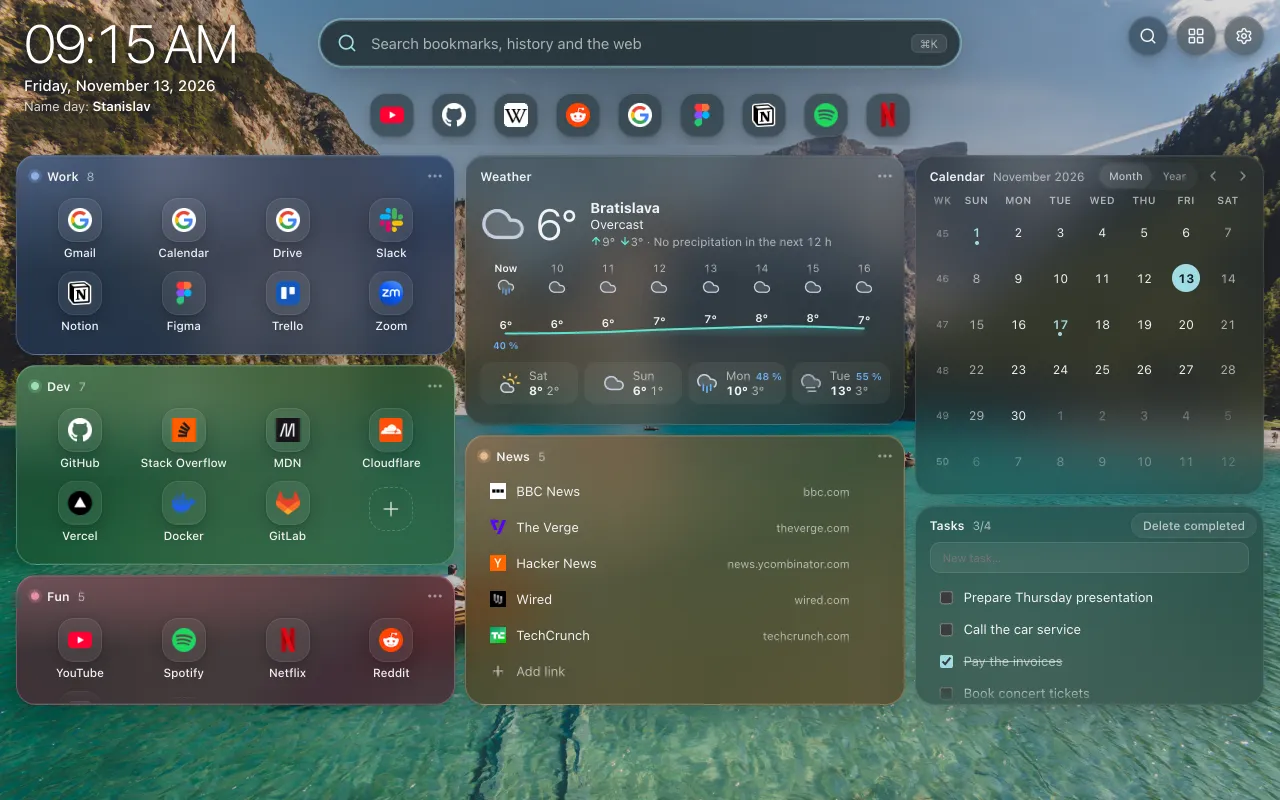
- 10widgets
- 4header layouts
- 22background photos
- ⌘Ksearch on any page
Bookmarks
Your bookmarks, finally in order.
Pin any bookmark folder as a group. Chrome bookmarks stay the only source, so nothing is copied and everything stays in sync.
- Any folder, any depth. Pin a whole folder or just one subfolder. Subfolders open in a window with breadcrumbs.
- Three views. Cards with page previews, app icons or a compact list. Each group has its own view and color.
- Drag and drop. Reorder links, move them between groups or drop a link from the address bar. Delete with Undo.
- Open as a tab group. One click opens all links of a folder as a colored Chrome tab group.
Search
Find anything with one shortcut.
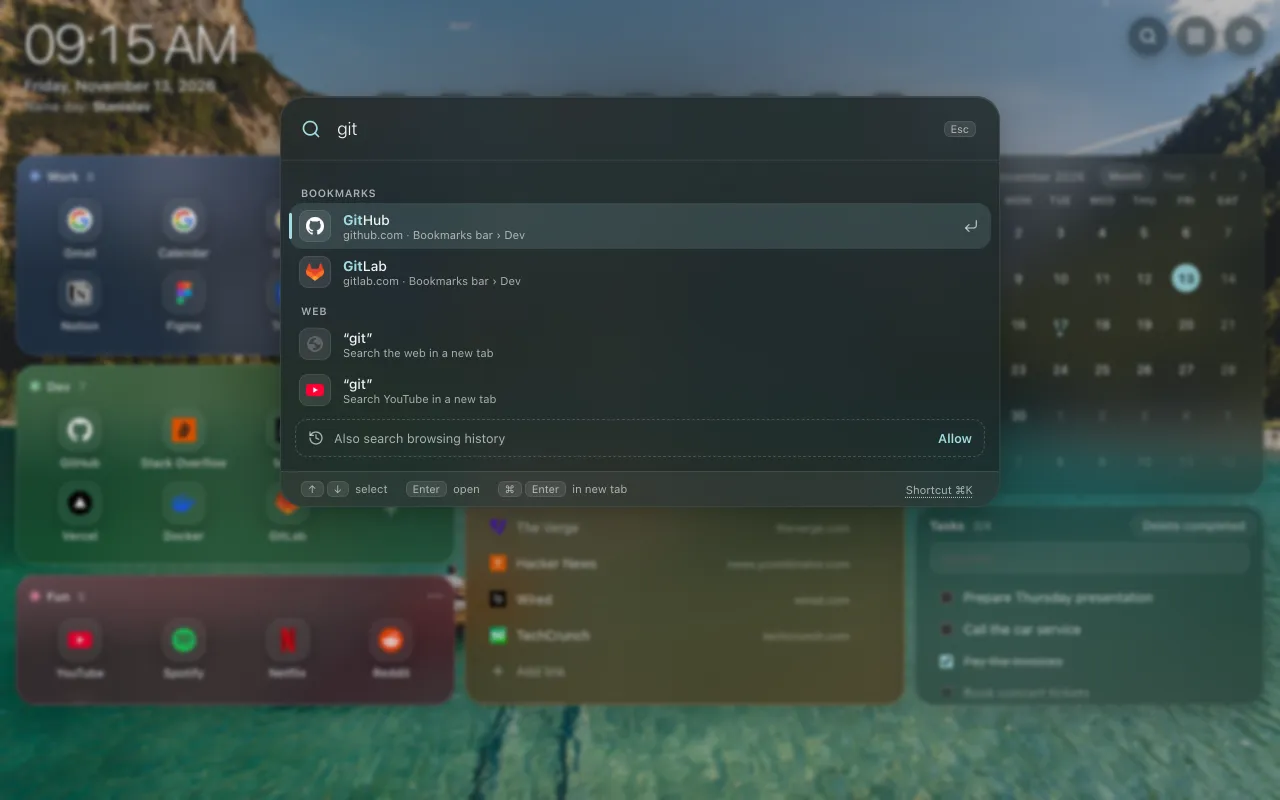
Press ⌘K (Ctrl+K on Windows) on the new tab or on any other page. One field searches your bookmarks, your history and the web.
- Bookmarks first. Results show the folder path, so you know which "Docs" you open.
- History, if you want it. Turn on search in the last 90 days of browsing history. It stays in your browser.
- The web and YouTube. Search with your default search engine or YouTube, or type an address to open it.
- Keyboard first. ↑ ↓ to select, Enter to open, ⌘ Enter for a new tab, Esc to close.
Widgets
Widgets you will actually use.
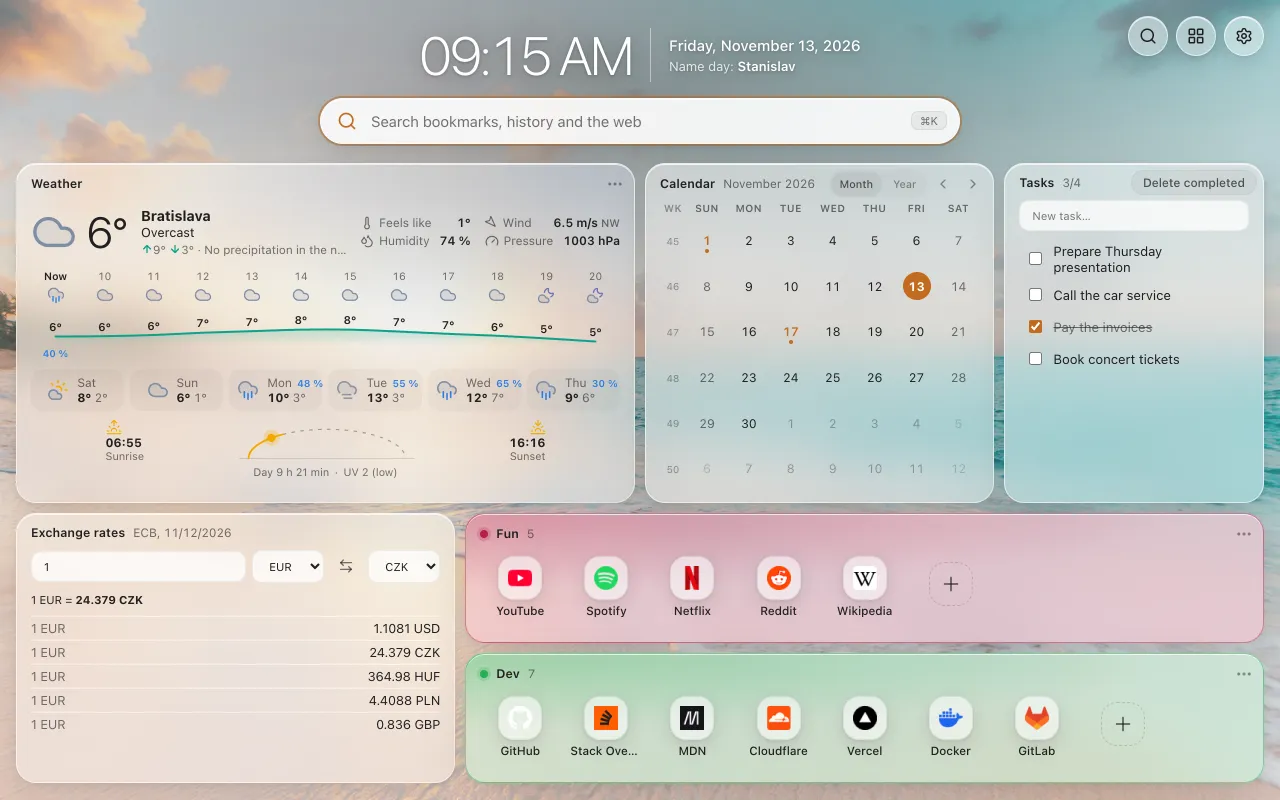
Add only what you need. A bigger panel shows more detail, and every widget works in light and dark mode.
Weather
Hourly and 7-day forecast, rain outlook, wind, UV, sunrise and sunset. Data from Open-Meteo.
Calendar
Month or year view with week numbers and public holidays.
Tasks
A simple to-do list that syncs with your settings.
Exchange rates
A converter and daily ECB rates for the currencies you choose.
Top Sites
The sites you visit most, as a clean row of icons.
Recently closed
Bring back a tab you closed by mistake.
Downloads
Your latest files with progress. Open, show in folder, pause or resume.
Time online
Active time per site for today, 7 or 30 days. Measured only in your browser.
Clock and date
Time, date and name days. Place it anywhere in the Custom layout.
Search
The search field as a widget, for the Custom layout.
Layout
Arrange it your way.
Every panel sits on a flexible grid. Turn on edit mode, then drag panels and resize them by their edges.
- Drag and resize. Groups and widgets snap to a 14-column grid that scales with the window.
- Interface size. Make the whole dashboard smaller or larger, from 80 to 115 %.
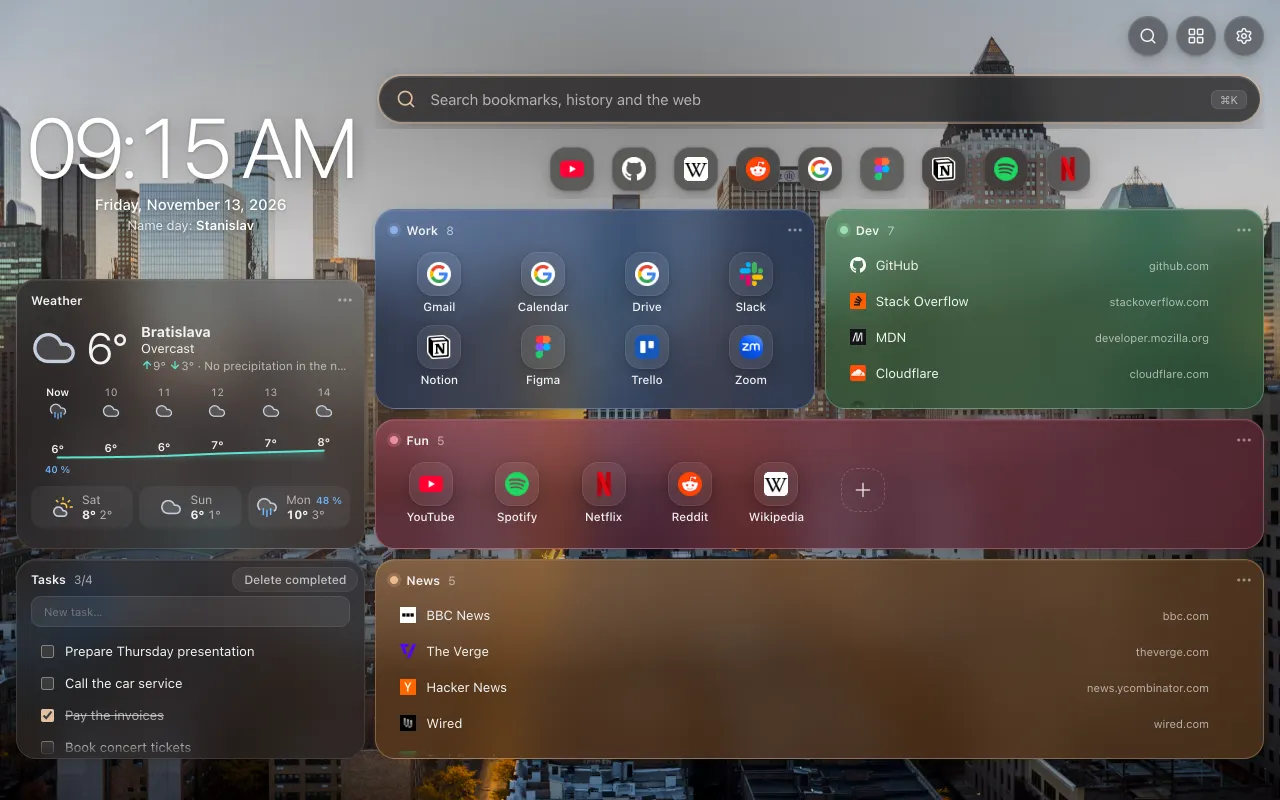
Four header layouts
Customize
Make it yours.
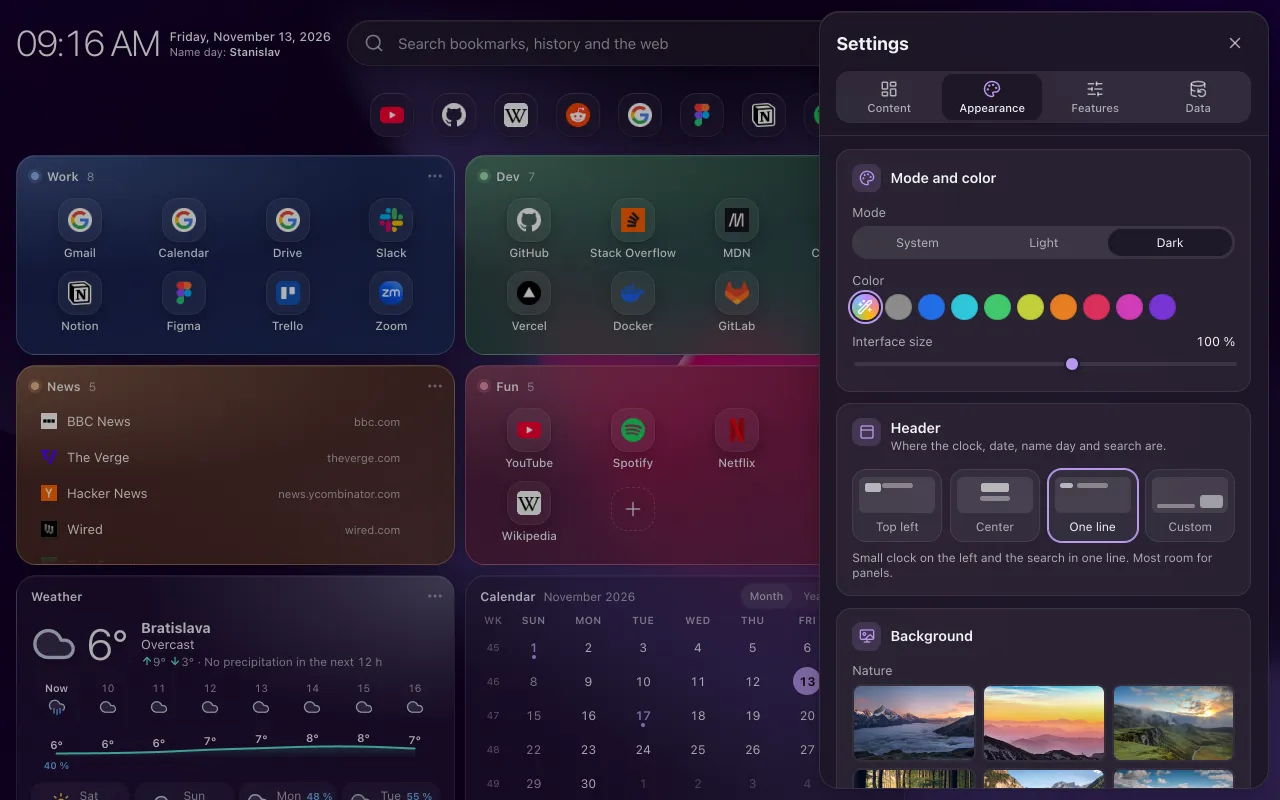
All settings are in one panel with four tabs. Change something and see the result at once.
Content
- Pin bookmark folders as groups
- Add or remove widgets
Appearance
- Light, dark or system mode
- Theme color from the background or 9 presets
- Header layout
- 22 photos, 7 gradients, your own image or URL
- Panel blur, opacity, shadow and corners
- Interface size
Features
- Search in browsing history
- Search shortcut
- Page previews of your bookmarks
Data
- Back up your whole setup to a file
- Restore it on any computer
- Sync with your Chrome account
Privacy
Private by design.
SuperTab has no account, no server and no analytics. Your bookmarks, history and screenshots never leave your browser.
No tracking
No ads, no analytics, no remote code. The extension does not collect data for its author.
Stays on your device
Previews, images and time online are stored in your browser only. Sync goes through your own Chrome account, only if you turn it on.
Ask only when needed
Extra permissions are optional. The extension asks only when you turn the feature on, and you can turn it off again.
Optional permissions
- HistorySearch your browsing history in the ⌘K palette.
- TabsRecently closed tabs and time online.
- DownloadsThe Downloads widget.
- Access to sitesScreenshots for page previews of your bookmarks.
Questions and answers
Is my data sent anywhere?
No. The extension has no server. The weather comes from Open-Meteo, exchange rates from the ECB through Frankfurter and photos from Unsplash. These services receive only the request itself, never your bookmarks or history.
Does it change my bookmarks?
Only when you tell it to: add, edit, move or delete a link on the dashboard. All changes go straight to your Chrome bookmarks, so the bookmark manager and other devices see them too.
How do I move my setup to another computer?
Open Settings › Data › Backup and restore, export the setup to a JSON file and import it on the other computer. Or turn on sync with your Chrome account. Groups find their folders by name.
Can I change the ⌘K shortcut?
Yes. Open chrome://extensions/shortcuts and set the shortcut you like. On Windows and Linux, the default is Ctrl+K.
Does it work in Edge, Brave or Arc?
SuperTab is built for Chrome 130 and later. Other Chromium browsers can install Chrome Web Store extensions, but we test only in Chrome.
Which languages does it support?
English and Slovak. The extension follows the language of your browser.
Open a new tab you will enjoy.
SuperTab Dashboard is coming to the Chrome Web Store soon.
Coming soon to the Chrome Web Store